
01 /
Prepare a customer email
Share the customer's question and your response notes. Slimmie helps you create a draft you can adjust for content and tone.
“Turn these notes into a friendly reply to the customer's question.”
THE SLIMMIE WORKSPACE
A customer email waiting to be written, a lot of information to review or a plan that needs structure. Slimmie helps you work through it, in a workspace for your business.
One user · No payment details · No automatic renewalThe app interface and screenshots are currently in Dutch.
Start with a question or see what needs your attention. From the workspace, open your conversations, tasks and business knowledge. The features you use depend on your setup and integrations.
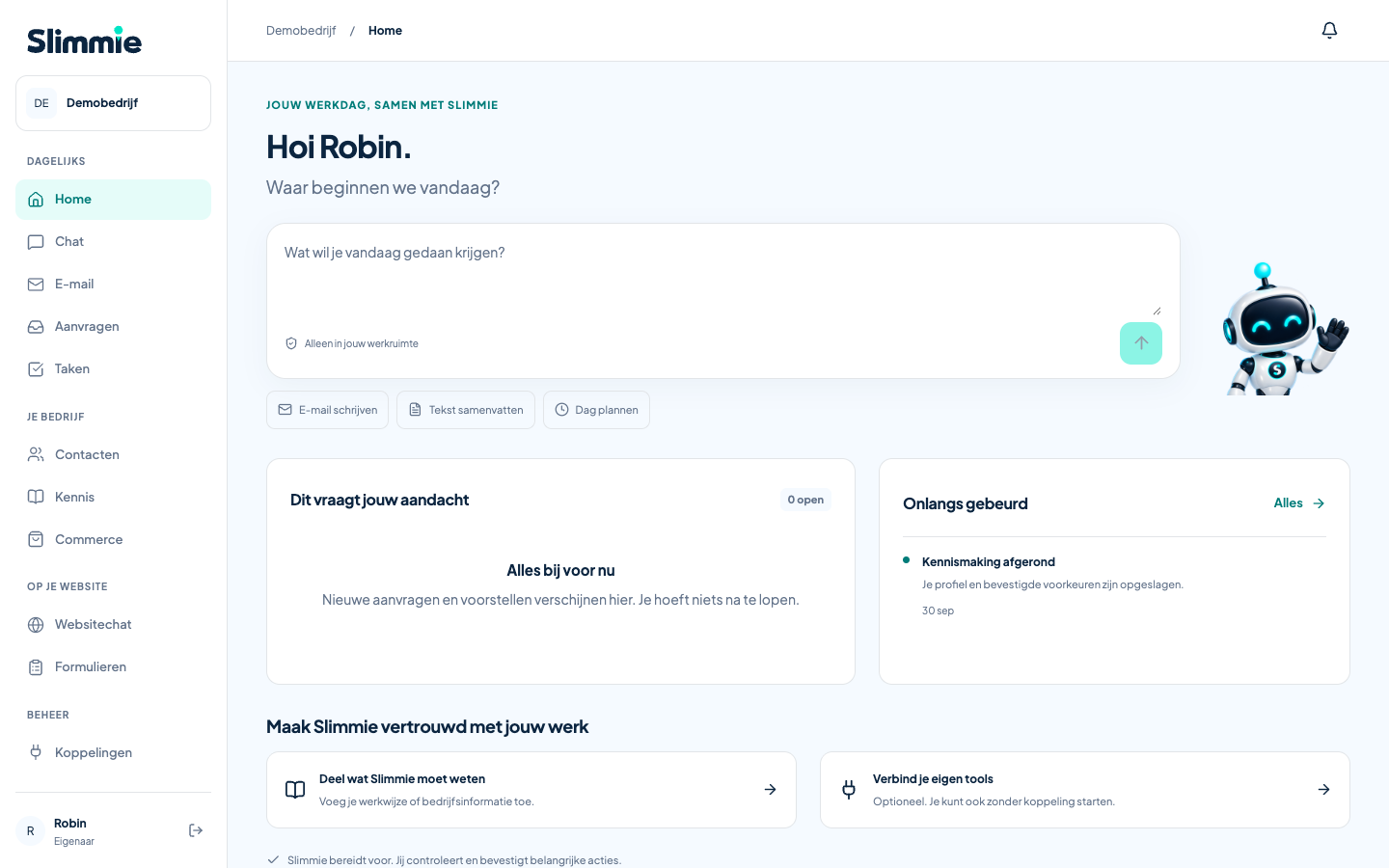
Type a work question or choose to draft a customer email, summarise a text or develop a plan.
See which requests or proposals are waiting for follow-up or review.
Add relevant business information to your knowledge and manage it in your workspace.
WORK WITH SLIMMIE
Share what Slimmie needs: your notes, a text or the background to a customer question. Ask for a first draft, refine it and review the result.
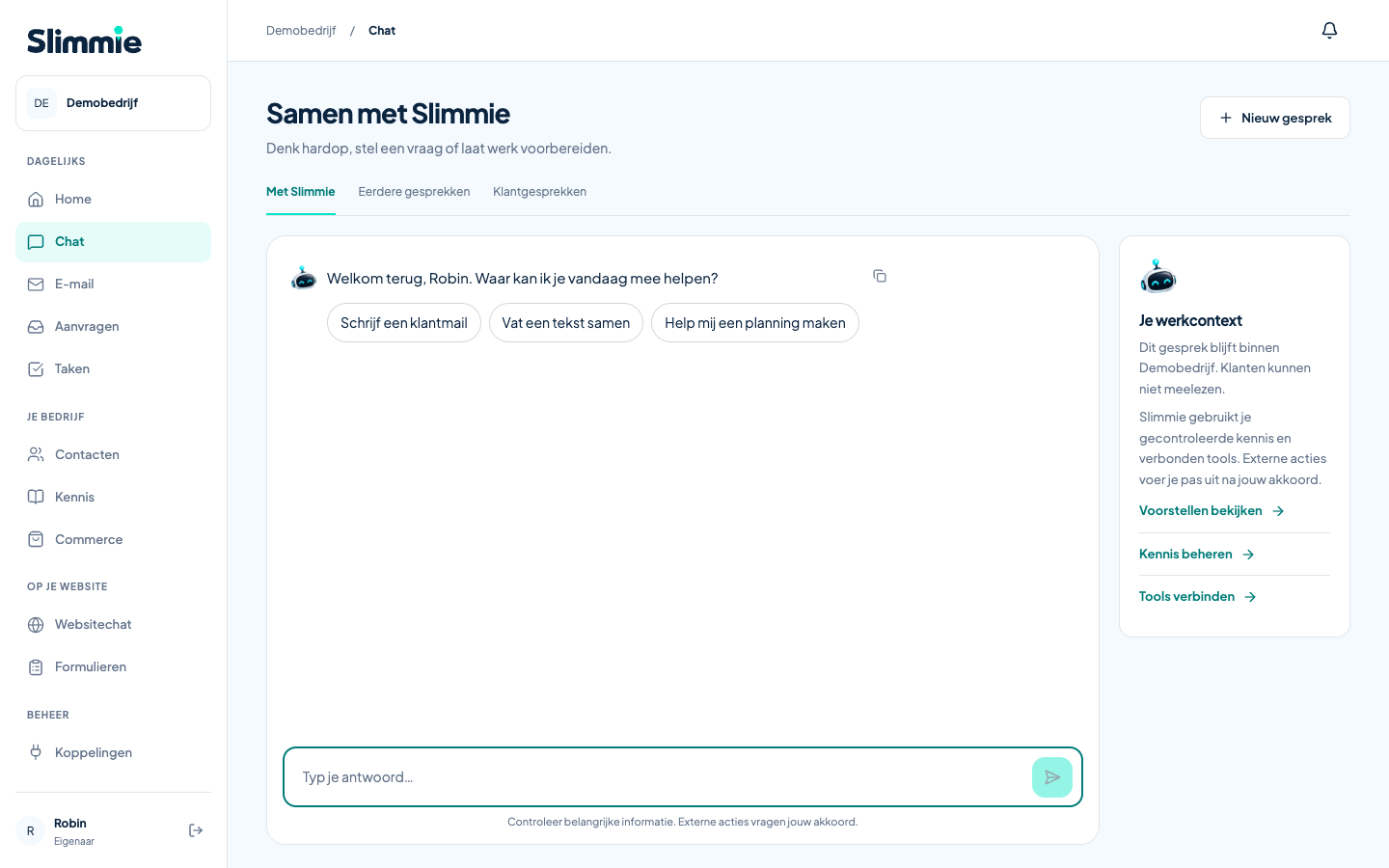
Share the customer's question and your response notes. Slimmie helps you create a draft you can adjust for content and tone.
“Turn these notes into a friendly reply to the customer's question.”
Paste the text you want to discuss and ask for the main points, important questions or specific actions.
“Summarise this text and list the action points.”
Explain what you want to achieve and any commitments or constraints. Slimmie helps you put together a proposed approach.
“Help me turn these tasks into a realistic plan for the day.”
YOU STAY IN CONTROL
Writing a text prepares the work. Sending an important message requires a separate decision. Always check the content and recipient before you give approval.
You receive a draft or proposal to review.
Check that the content is accurate and appropriate for your business.
Sending through an available mailbox integration requires explicit approval.
START WITH WHAT YOU HAVE
You can start without connecting a mailbox or calendar. Drafting, summarising and developing plans work with information you share yourself. Relevant information about your business can give Slimmie additional context.
With an available mailbox integration, Slimmie can show your messages and help prepare a draft reply. The integration must be set up first. An outgoing message is only sent after your explicit approval.
WeDeCom develops and offers Slimmie. We make a digital colleague for business owners and small teams who want to bring structure to their daily work.
Chamber of Commerce (KvK) 32155126
VAT ID NL001129220B74
TRY IT WITH YOUR OWN WORK QUESTION
Request a free trial and discover what Slimmie can do for you.